Taitor – interactive AI tutoring for kids and teens
Taitor – interactive AI tutoring for kids and teens - Website Development - Photo 1
Faster time-to-market

Delivered an AI-powered math tutoring MVP with a full interactive workspace in a short development cycle, enabling the client to launch early and start onboarding students ahead of schedule.

Established credible product presence

Established clear product positioning in the EdTech niche, giving the client a strong strategic foundation for scaling and building future partnerships.

Built with scalability in mind

Implemented a modular, scalable UI system with reusable components, reducing future design and development costs and enabling rapid expansion as new features are added.

Overview
An AI platform that makes math feel simple and fun

Taitor is an interactive web platform that helps students learn math through real-time communication with an AI tutor. The goal was to design an mvp from scratch that combines chat-based learning with a dynamic whiteboard experience.

Our team created a clear, functional interface tailored for middle and high school students. The design emphasizes focus, smooth interaction, and adaptability, allowing the AI to guide lessons naturally while keeping the experience engaging and distraction-free.

Client
Tailor Image - round-united-arab-emirates-flag-isolated-on-white-background-round-national-flag-of-uae-vector-removebg-previewUAE
Services
Business needs
Client request & business goals

The client asked for a simple, clear design for a desktop-first MVP that teaches math through AI tutoring. The platform needed to look modern but stay easy enough for students to use without guidance.

Our goal was to create a structure that supports AI-driven learning while keeping every element focused on clarity and function. The result is a flexible foundation ready to grow into a full educational platform.

Taitor – interactive AI tutoring for kids and teens - Website Development - Photo 4
Challenge
Problems & solutions
Problem
The client needed to release an MVP quickly to validate core hypotheses, leaving very little time for in-depth research.
Solution
We ran a focused, rapid analysis cycle and distilled only the most critical insights, enabling the client to validate their idea with a lean feature set and move forward with confidence.
Problem
Students often lost focus and left sessions mid-lesson, so the interface needed to minimize friction and ensure their progress wasn’t lost.
Solution
We simplified the interface, automated lesson history saving, and enabled seamless lesson continuation so students could pick up exactly where they left off without frustration
Problem
Parents needed clear visibility into their child’s progress and lesson history, yet the initial concept offered no tools for oversight or payment control.
Solution
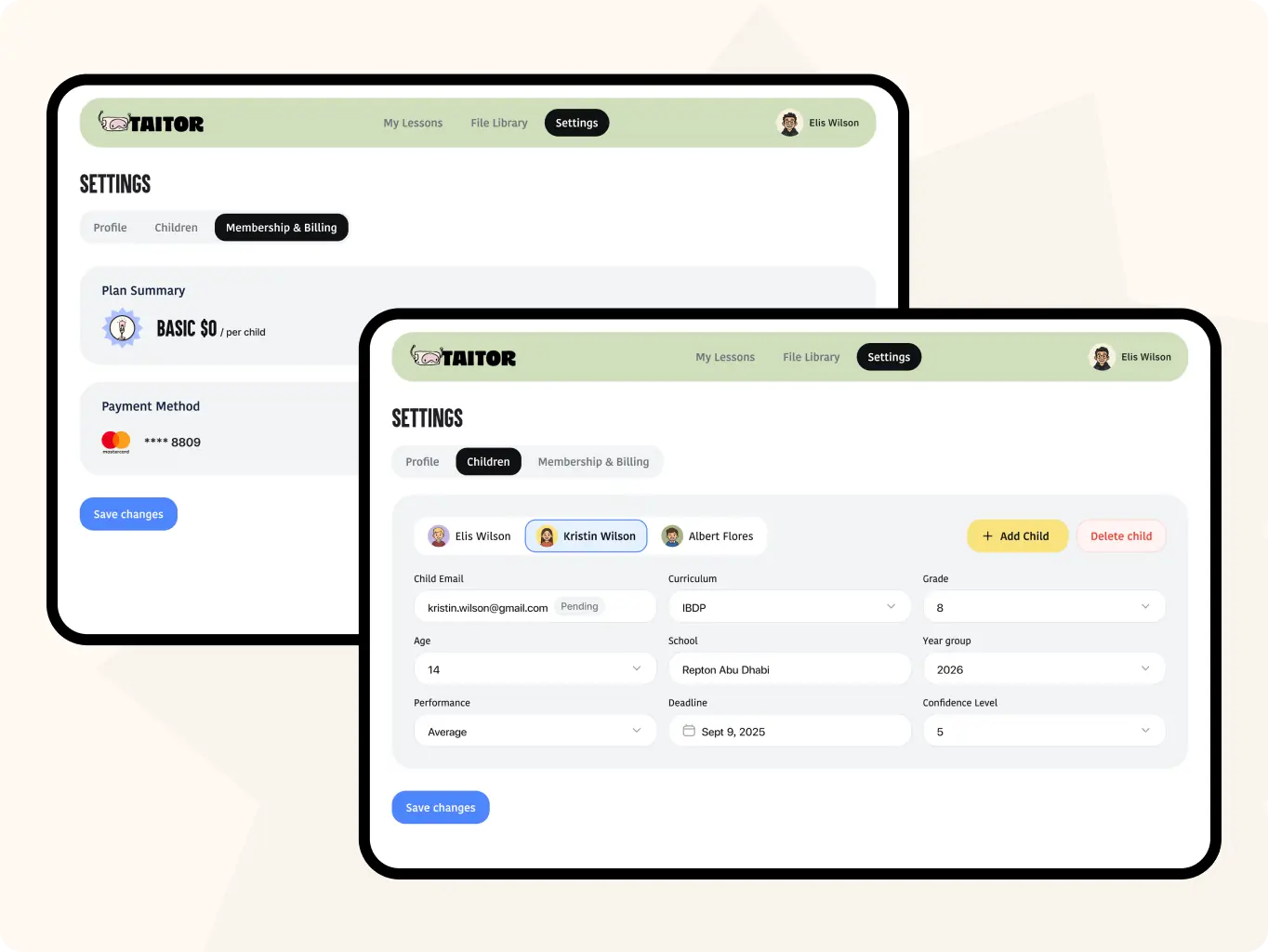
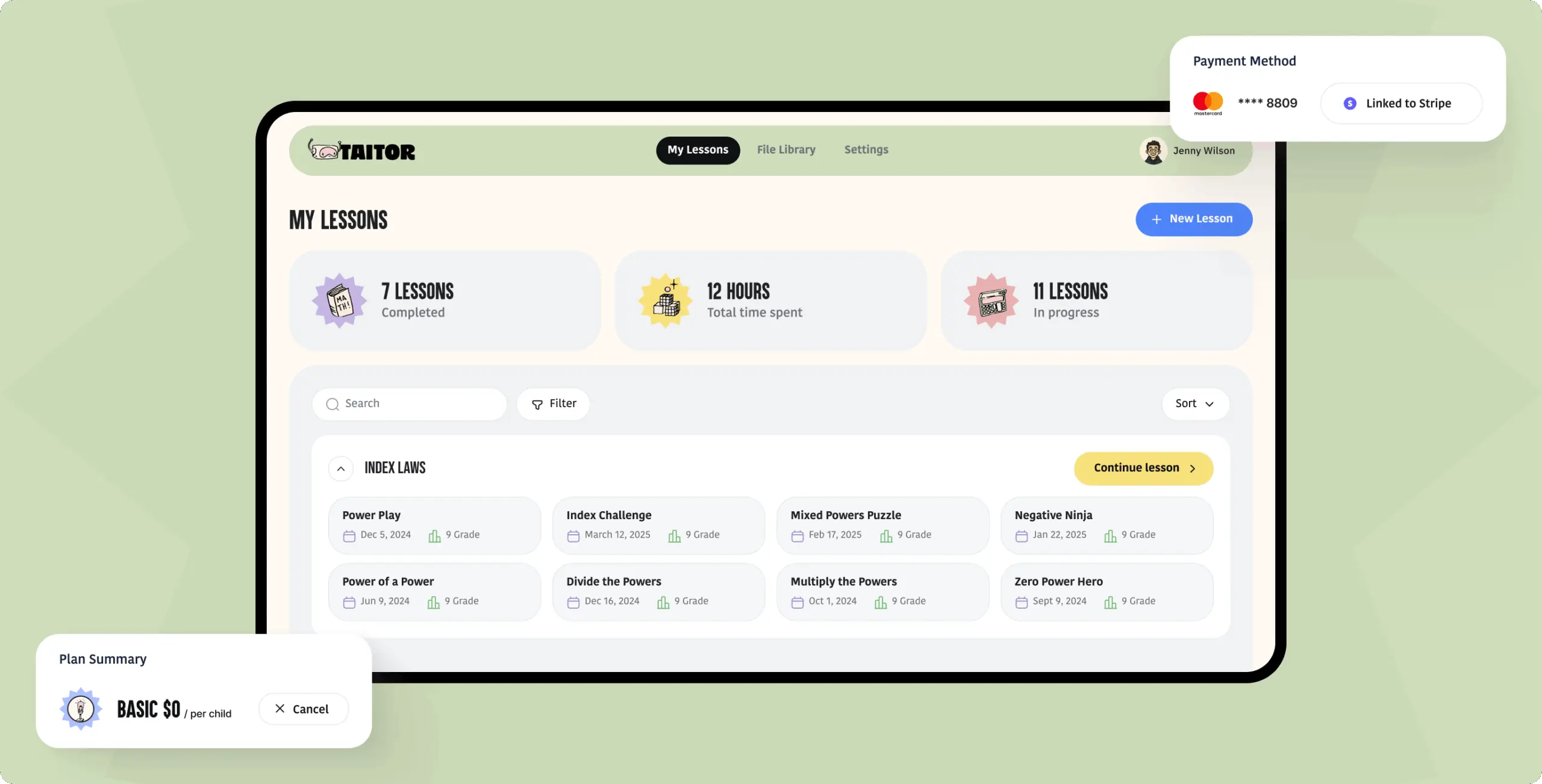
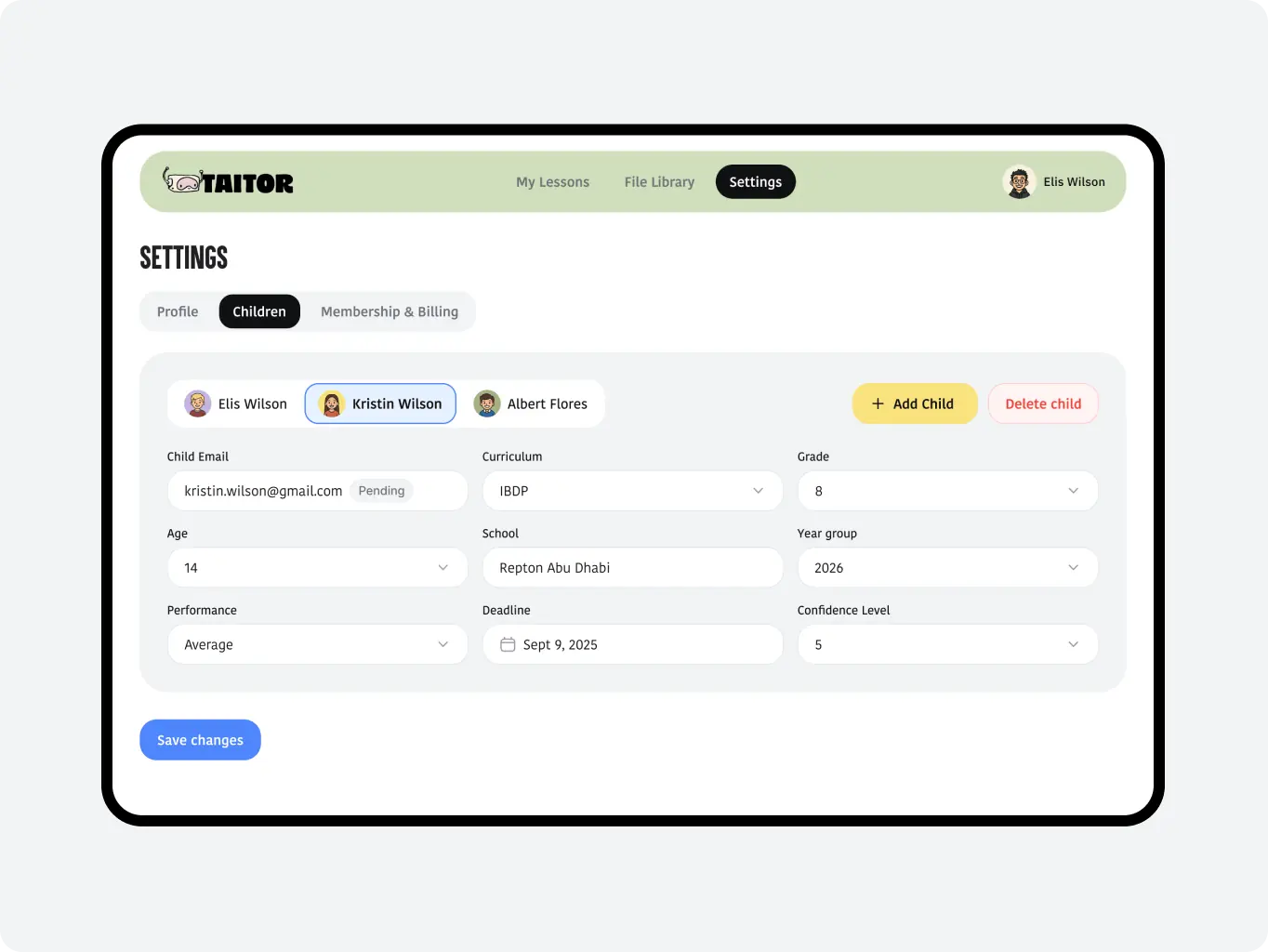
We added a dedicated parent flow with access to lesson history, activity insights, and subscription management so parents could track progress and handle payments in one place.
Icon - process-1
Wondering about the price? We’ll help you find the best solution!
Research
Turning insights into seamless learning experiences

The research stage focused on understanding how existing AI learning tools teach math and where they fall short. We analyzed competitors to identify patterns, strengths, and usability gaps in products targeting similar audiences.

Based on these insights, we built detailed user flows showing how students interact with the AI tutor and whiteboard. This helped define a logical structure for lessons, reduce cognitive load, and make the learning process feel smooth and engaging.

Stages

  • Competitor analysis
  • User flow
Stage 1
Competitor analysis

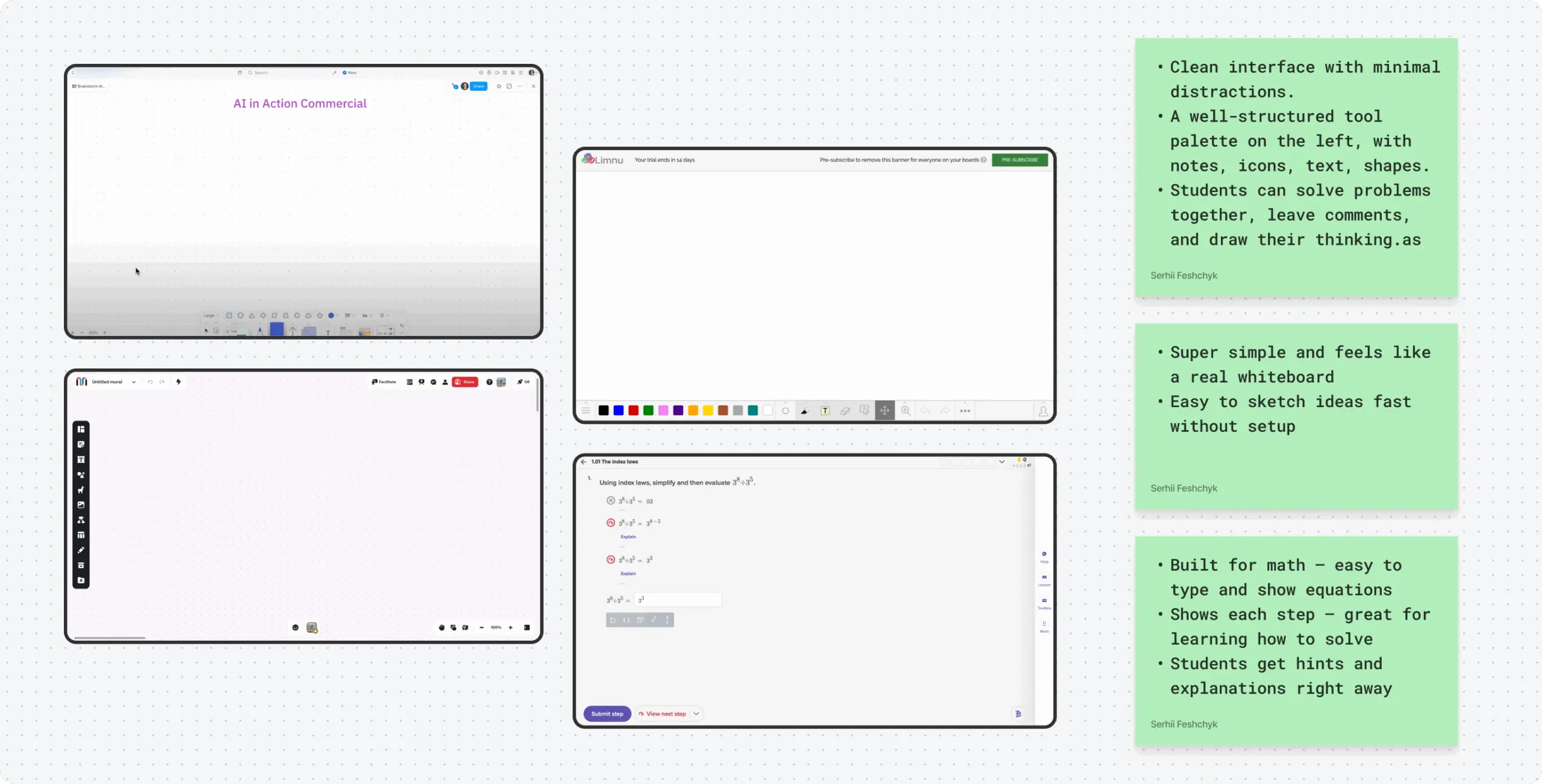
We analyzed leading AI tutoring and math platforms, focusing on how they combine chat interaction, visual tools, and lesson flow. Most competitors relied on cluttered interfaces, weak integration between chat and whiteboard, and overly complex navigation.

These findings showed the need for a cleaner, more focused product where AI guidance and visual tools work seamlessly together.
Taitor – interactive AI tutoring for kids and teens - Website Development - Photo 7
Stage 2
User flow

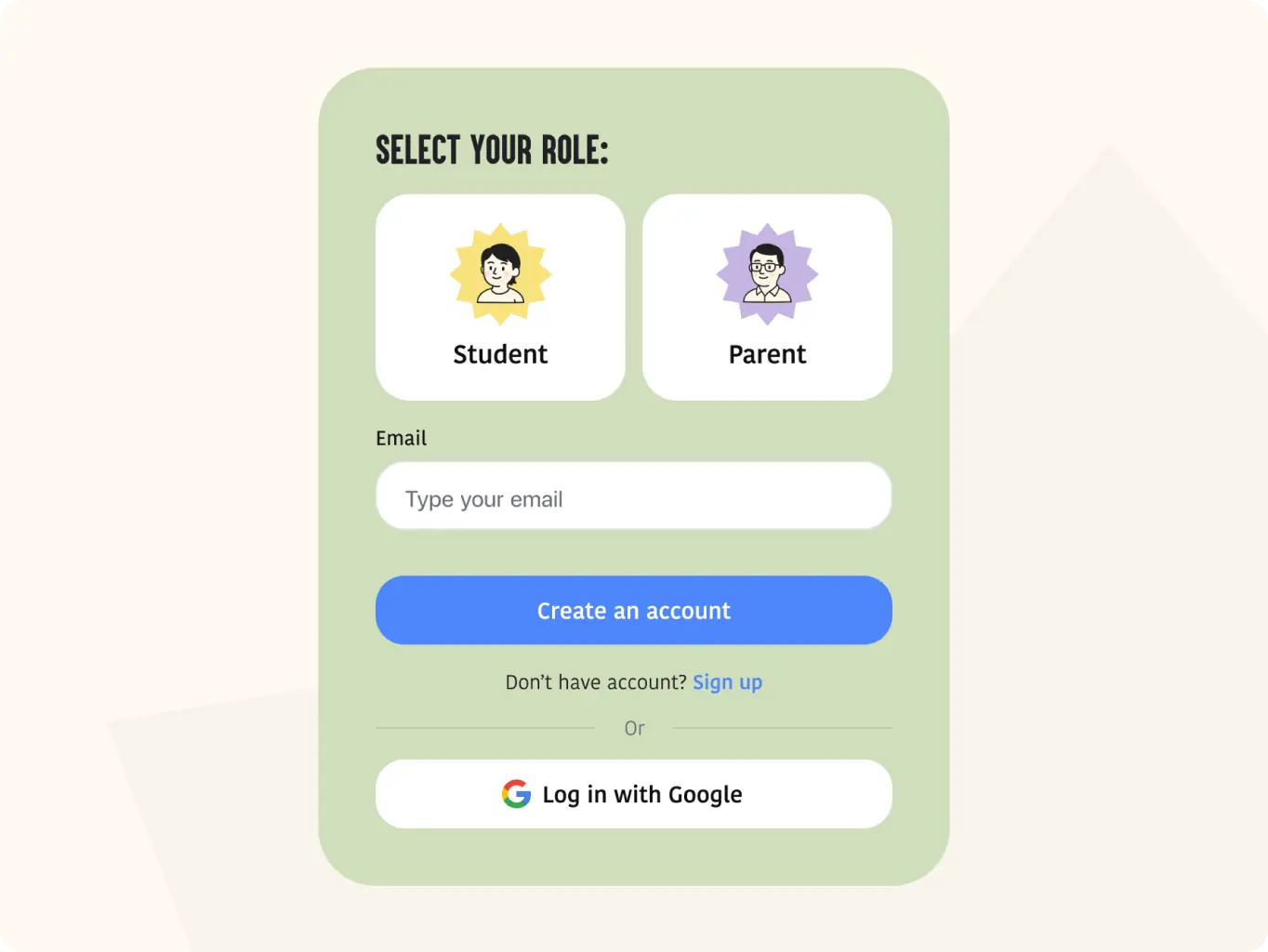
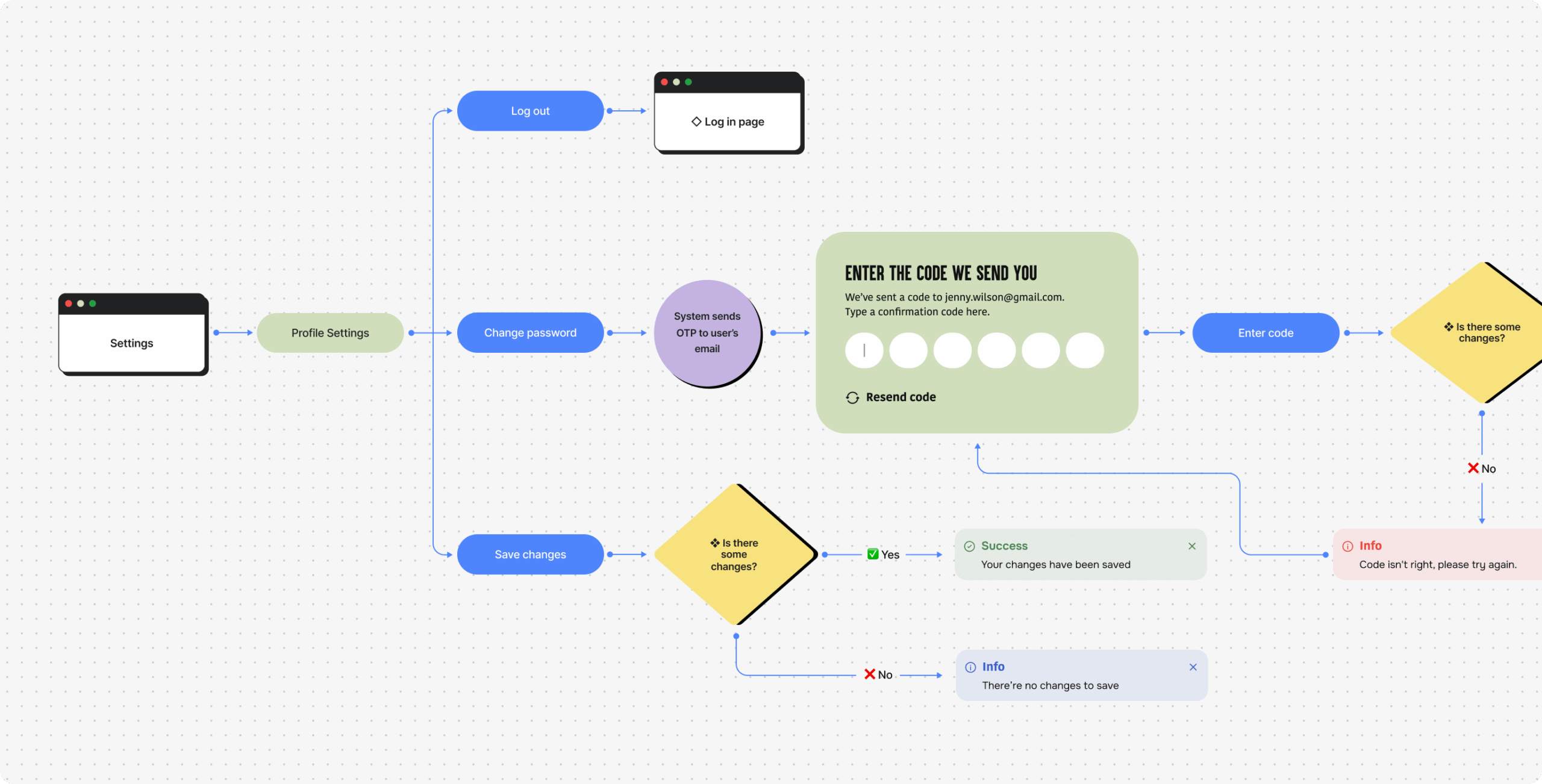
We designed two separate user flows to reflect the needs of different audiences — one for students and another for parents. The student flow focused on easy interaction with the AI tutor, quick access to the whiteboard, and a smooth lesson flow.

The parent flow was simpler and more goal-oriented, helping them track progress, review sessions, and manage their child’s learning activity without overwhelming details. This separation ensured clarity and a better experience for both user groups.
Taitor – interactive AI tutoring for kids and teens - Website Development - Photo 8
Design
Building the foundation for an intelligent learning experience

At this stage, we started by creating detailed wireframes to define the core learning flow and overall structure of the platform. This helped organize AI interactions, whiteboard functionality, and navigation in a logical, user-friendly way.

Next, we developed a moodboard to establish the visual tone and direction, focusing on clarity, trust, and engagement. Once the client approved the visual approach, we refined it through several design concepts and transformed the final version into a scalable UI system ready for MVP implementation.

Stages

  • Wireframes
  • Design direction
  • Mockups design
Taitor – interactive AI tutoring for kids and teens - Website Development - Photo 9
Stage 1
Wireframes

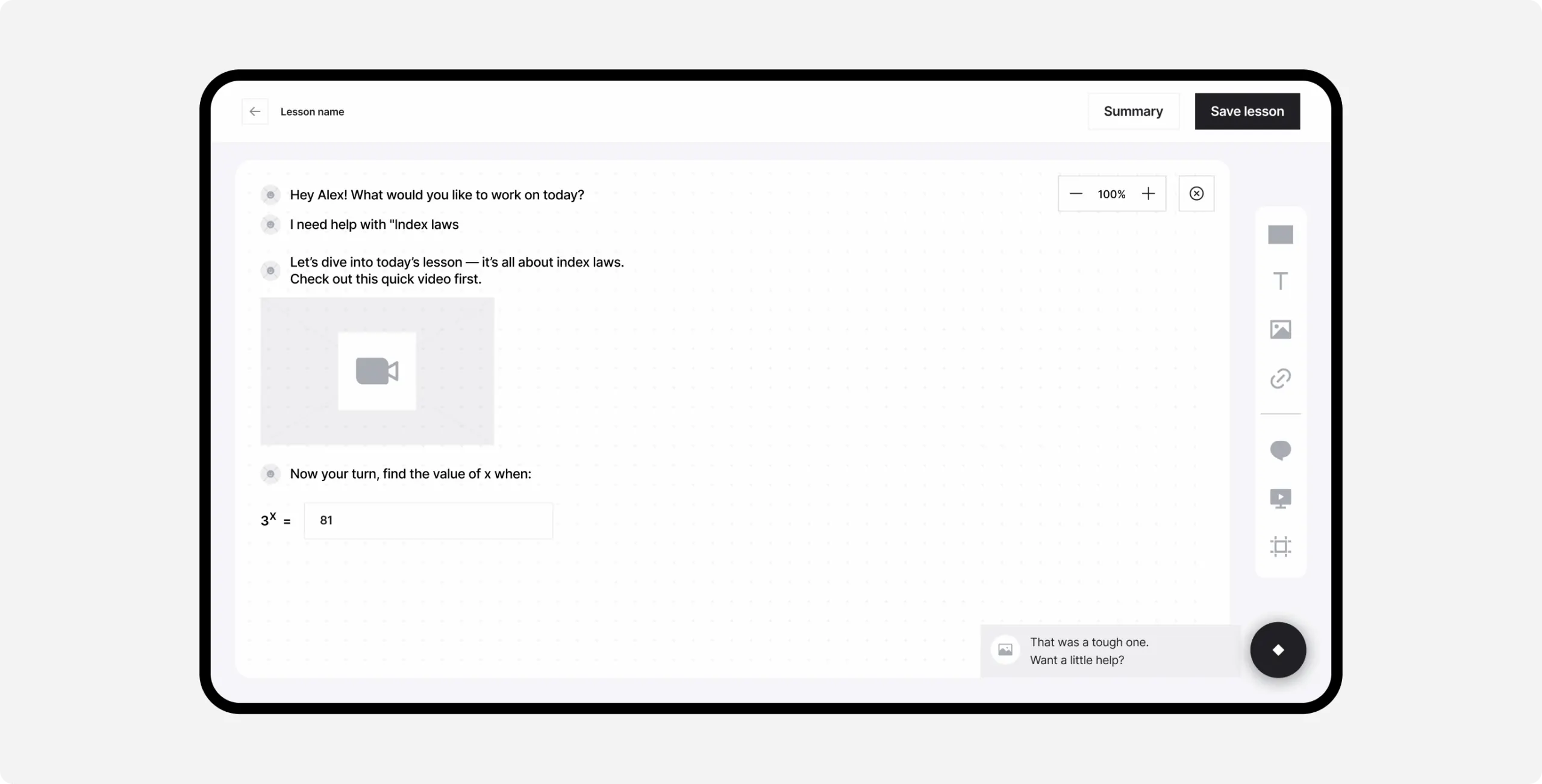
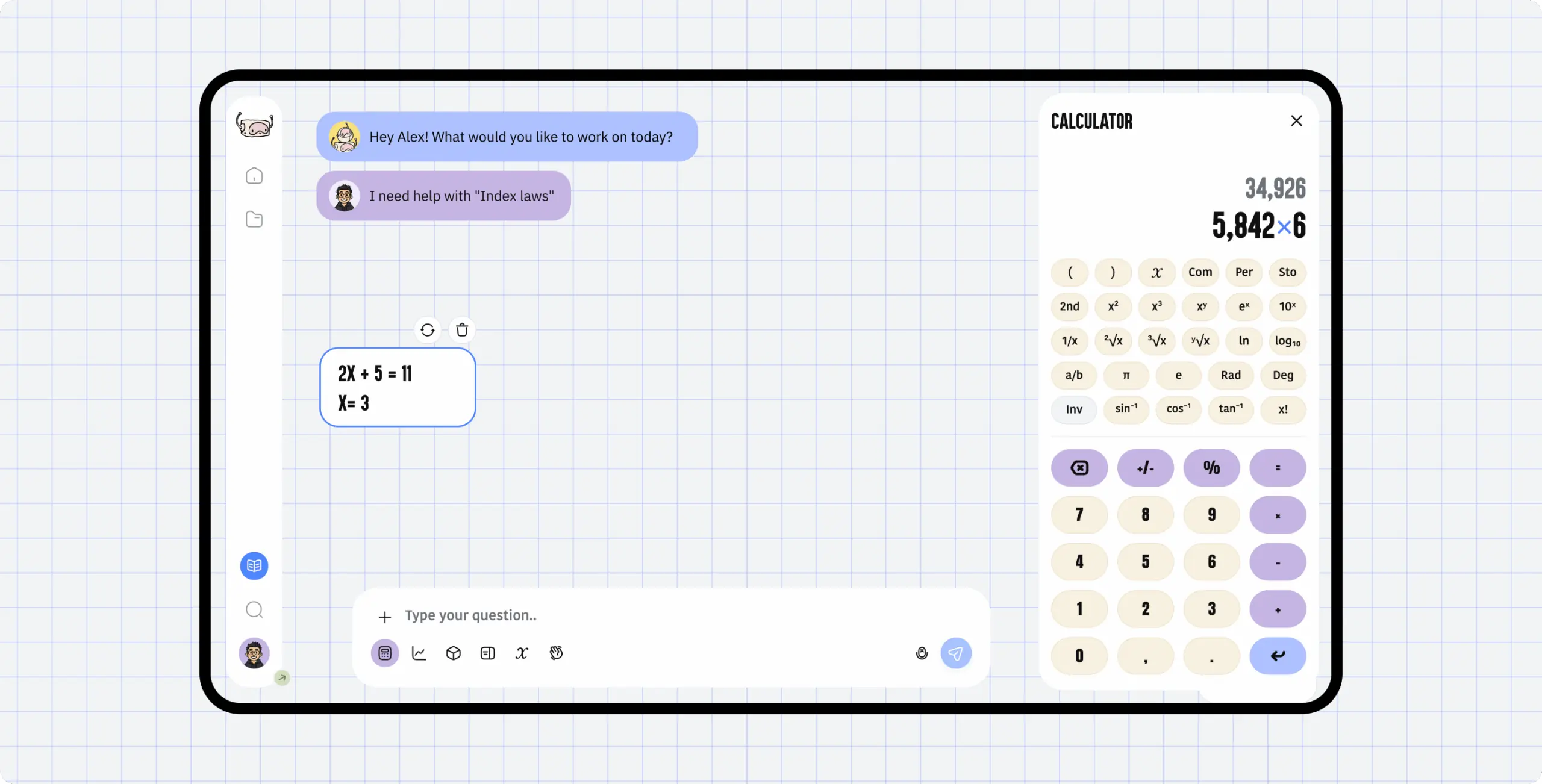
We created detailed wireframes to define how each feature supports the learning flow. The focus was on simplicity and clarity — ensuring students could move easily between the chat, whiteboard, and AI tools without losing context.

Through iterative reviews, we refined layouts to balance usability with flexibility for future updates. These wireframes became the blueprint for a seamless, structured experience that feels natural.
Taitor – interactive AI tutoring for kids and teens - Website Development - Photo 10
Taitor – interactive AI tutoring for kids and teens - Website Development - Photo 11
Stage 2
Design direction

We began by creating a moodboard that explored three directions — White & Clean, Gamified & Immersive, and Bold & Engaging. Each reflected a different approach to how students experience learning: from calm minimalism to game-inspired energy.

After reviewing all options with the client, we developed several design concepts based on the chosen direction. The preferred one struck a balance between clarity and engagement, combining AI-inspired minimalism with playful accents to make math feel approachable and dynamic.
Taitor – interactive AI tutoring for kids and teens - Website Development - Photo 12
Stage 3
Mockups design

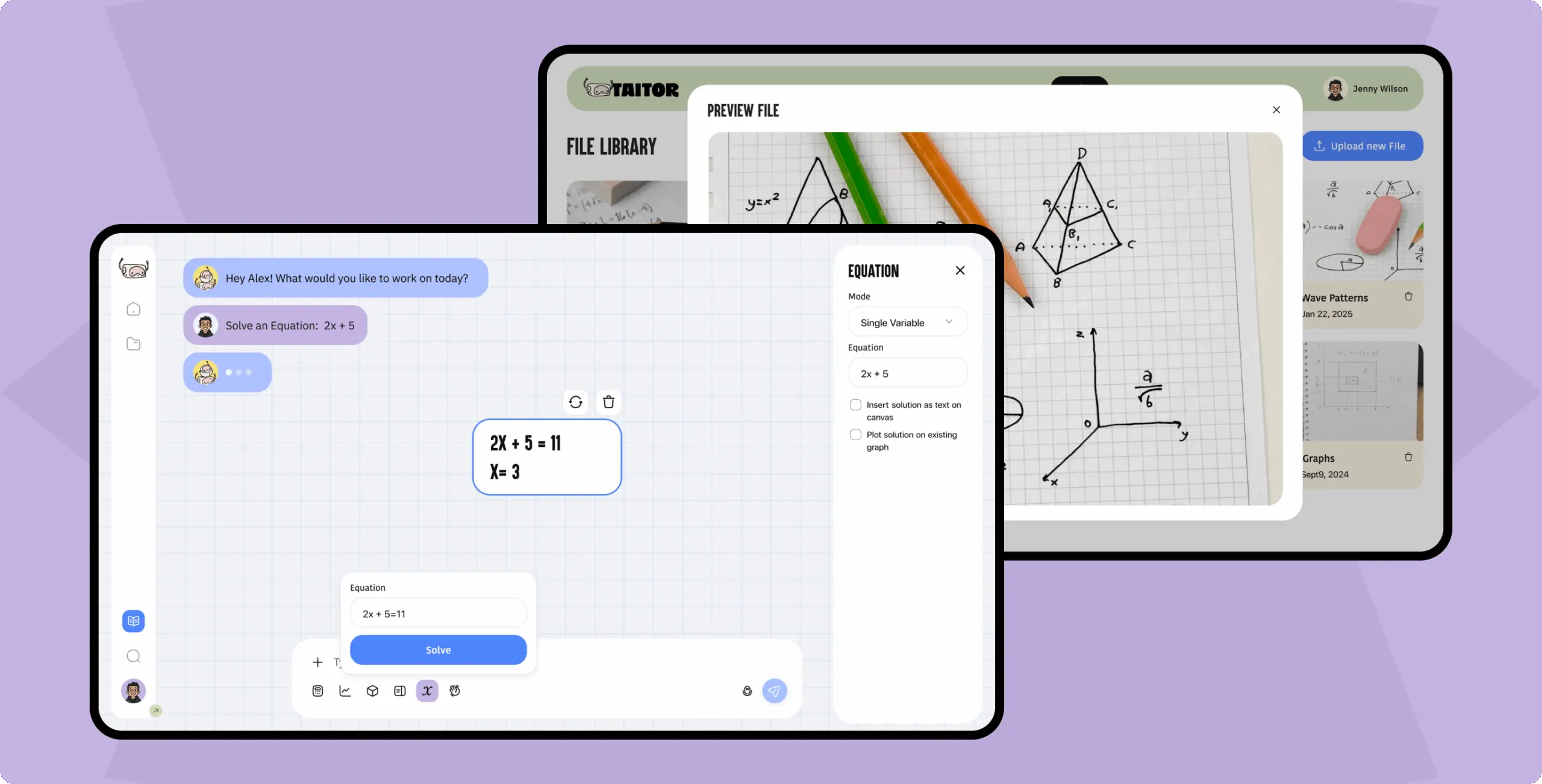
The UI design phase transformed functional wireframes into a cohesive visual system. We focused on clean layouts, balanced spacing, and intuitive hierarchy to make learning feel effortless. Every element was designed to guide attention naturally and keep students engaged without distraction.

Color, typography, and microinteractions were carefully chosen to reflect the platform’s intelligent and approachable nature. The result is a minimal, modern interface that supports AI-driven learning while maintaining warmth and accessibility.
Taitor – interactive AI tutoring for kids and teens - Website Development - Photo 13
Icon - process-1
Wondering about the price? We’ll help you find the best solution!
Features
Project’s core features
Taitor – interactive AI tutoring for kids and teens - Website Development - Photo 16
Taitor – interactive AI tutoring for kids and teens - Website Development - Photo 17
Taitor – interactive AI tutoring for kids and teens - Website Development - Photo 18
Taitor – interactive AI tutoring for kids and teens - Website Development - Photo 19
Taitor – interactive AI tutoring for kids and teens - Website Development - Photo 20
AI-powered problem recognition

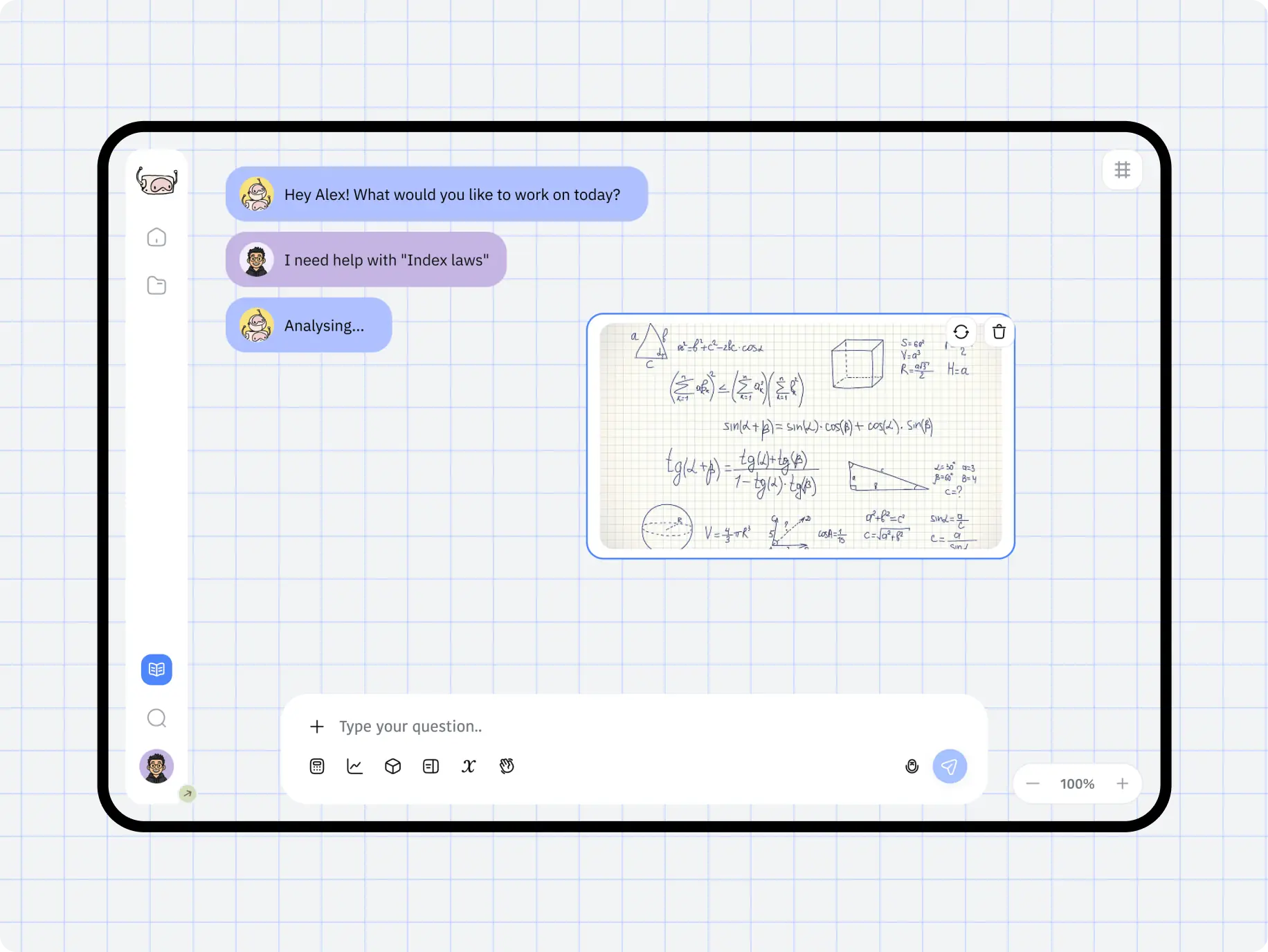
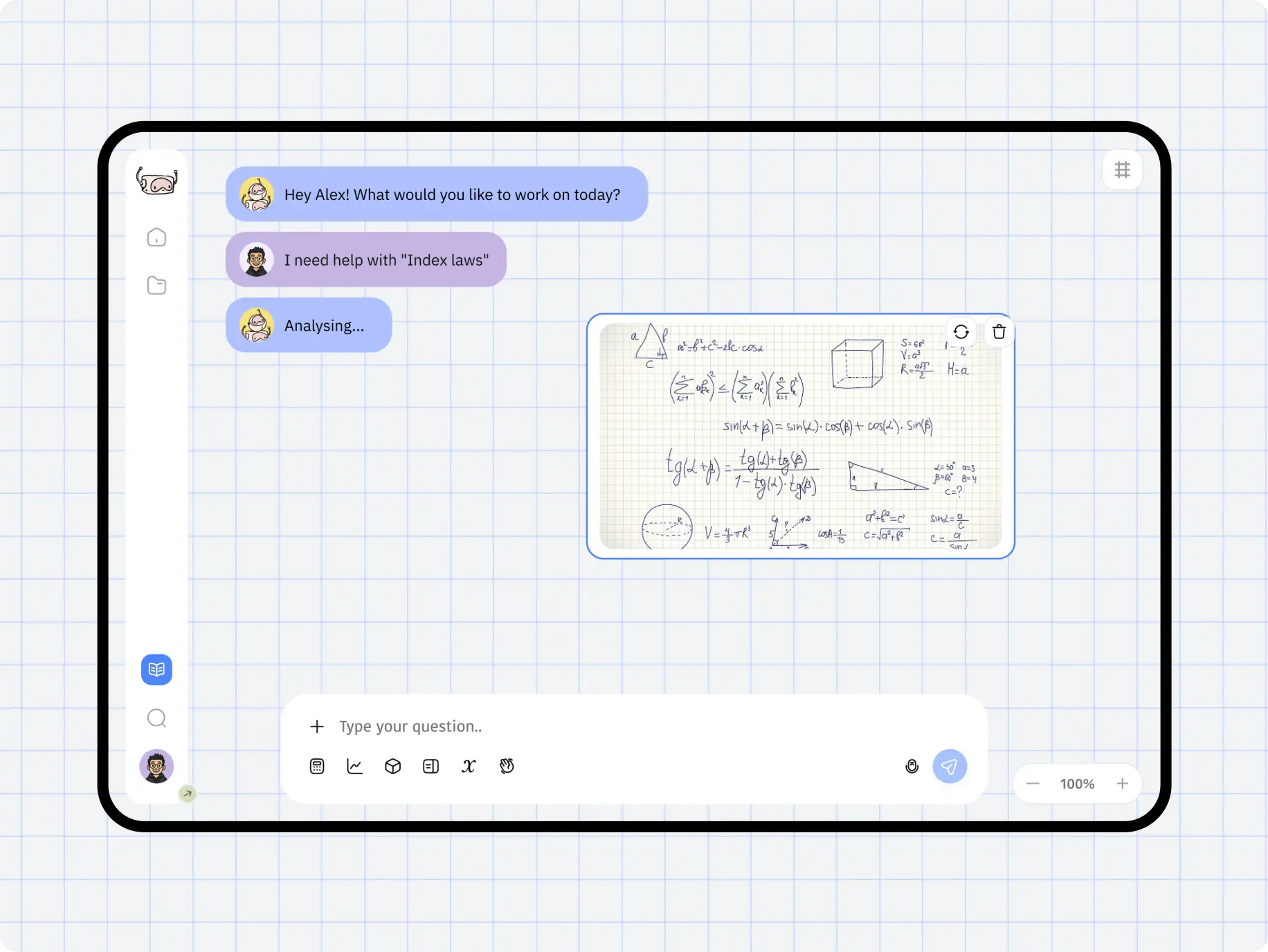
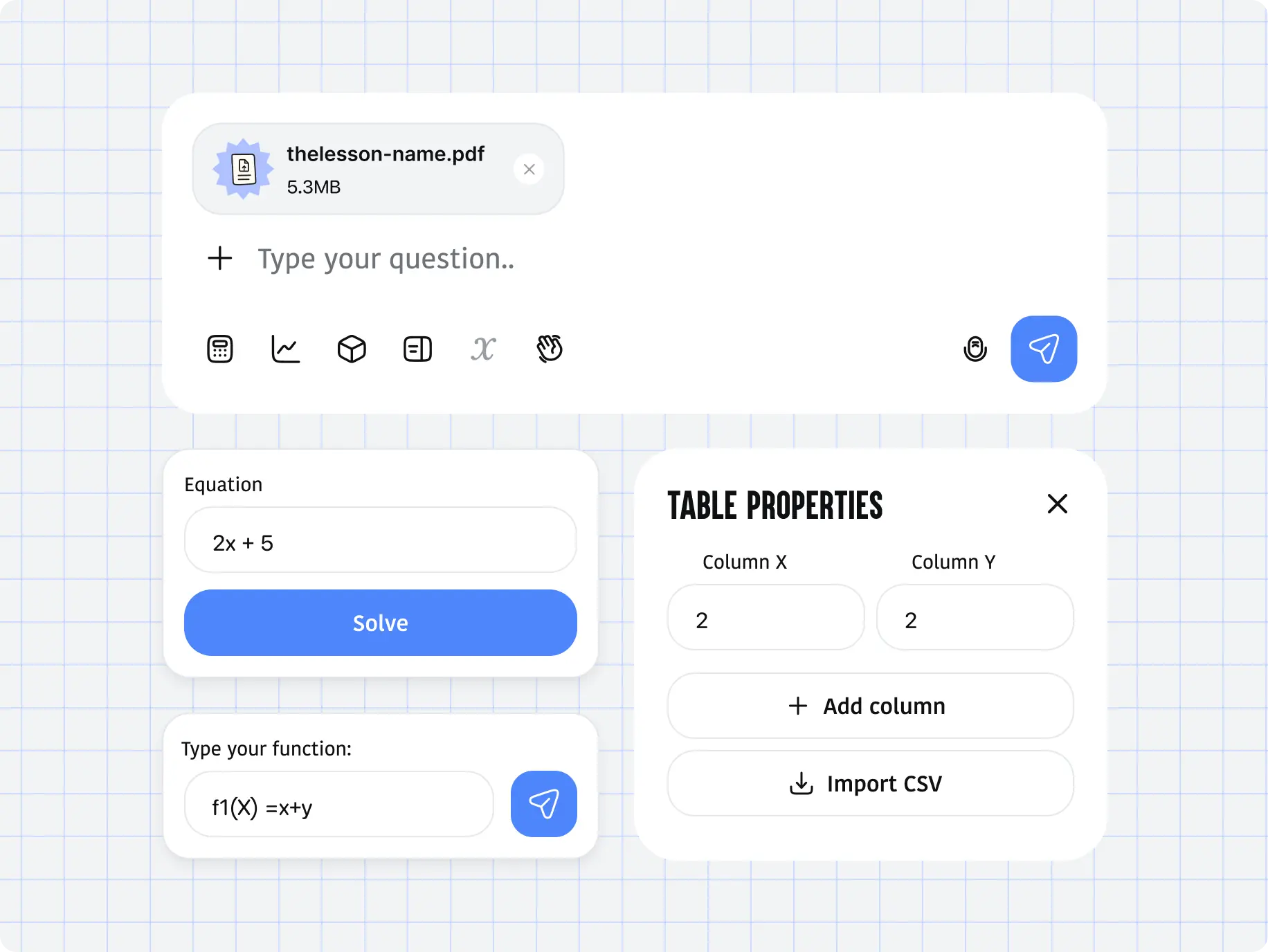
Students can upload a photo or document with a math problem, and the AI tutor instantly analyzes it. The system identifies key details, solves the problem step by step, and explains the logic behind each solution to help students truly understand the concept.

Taitor – interactive AI tutoring for kids and teens - Website Development - Photo 21
Minimal and intuitive dashboard

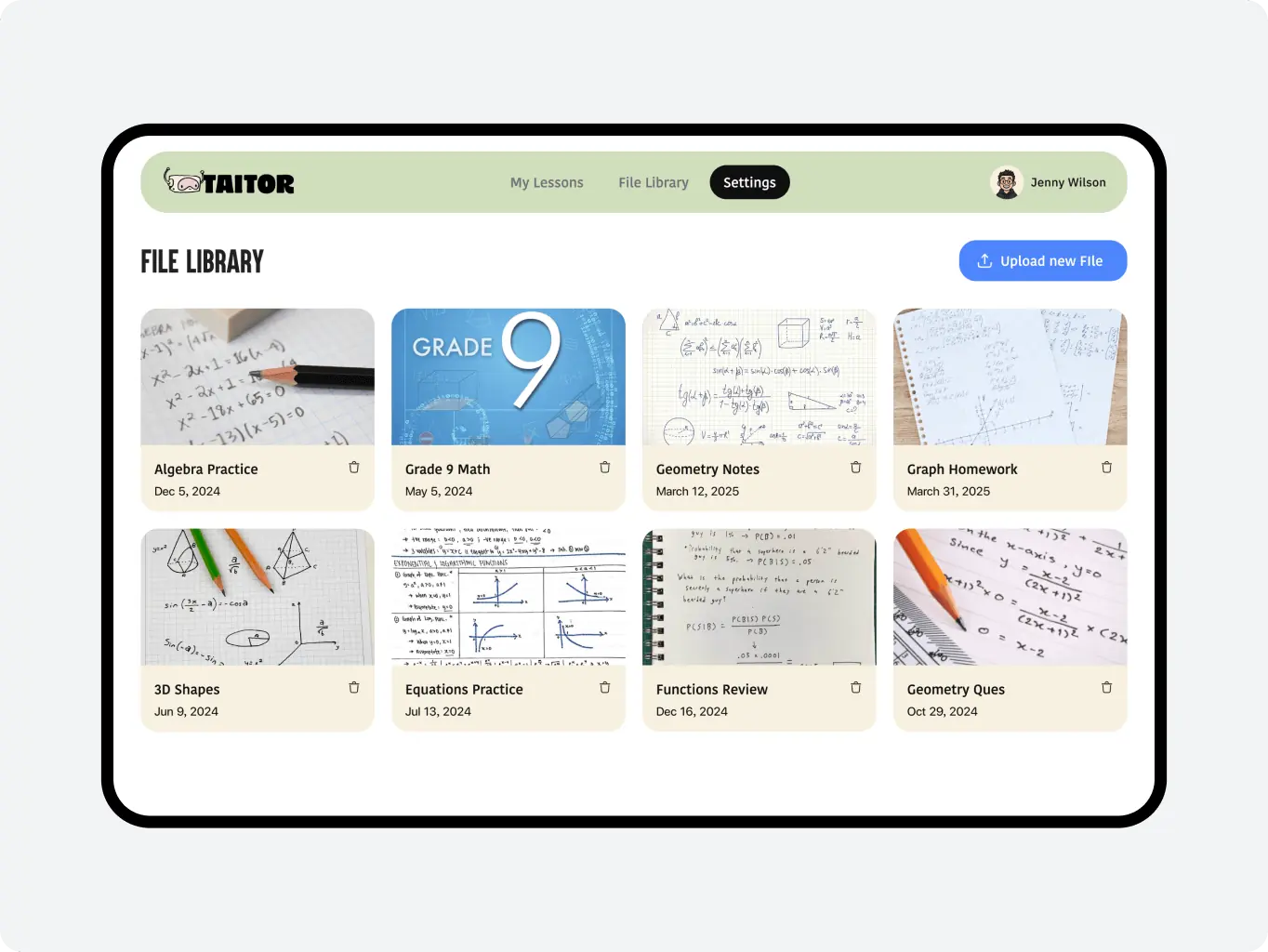
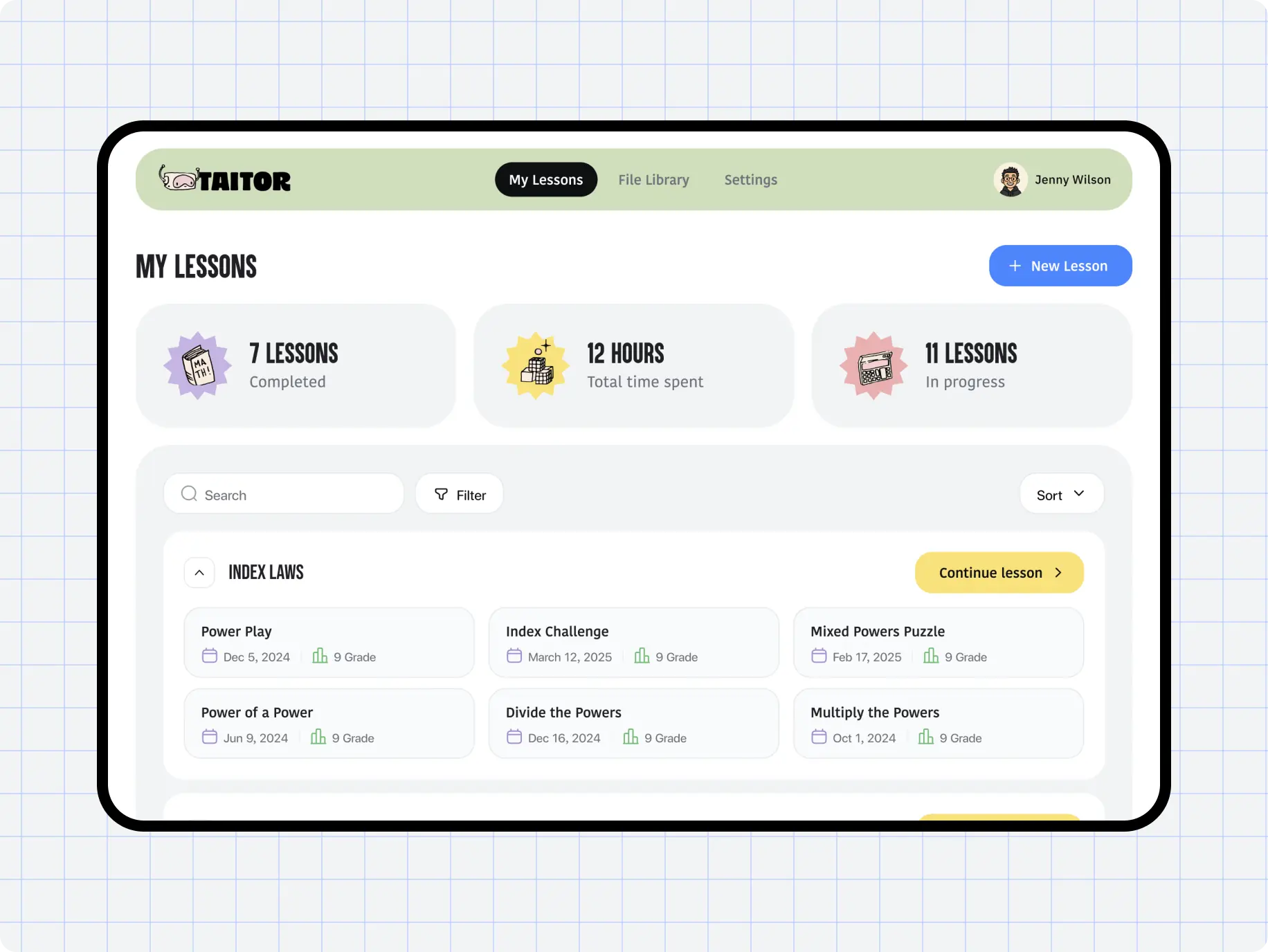
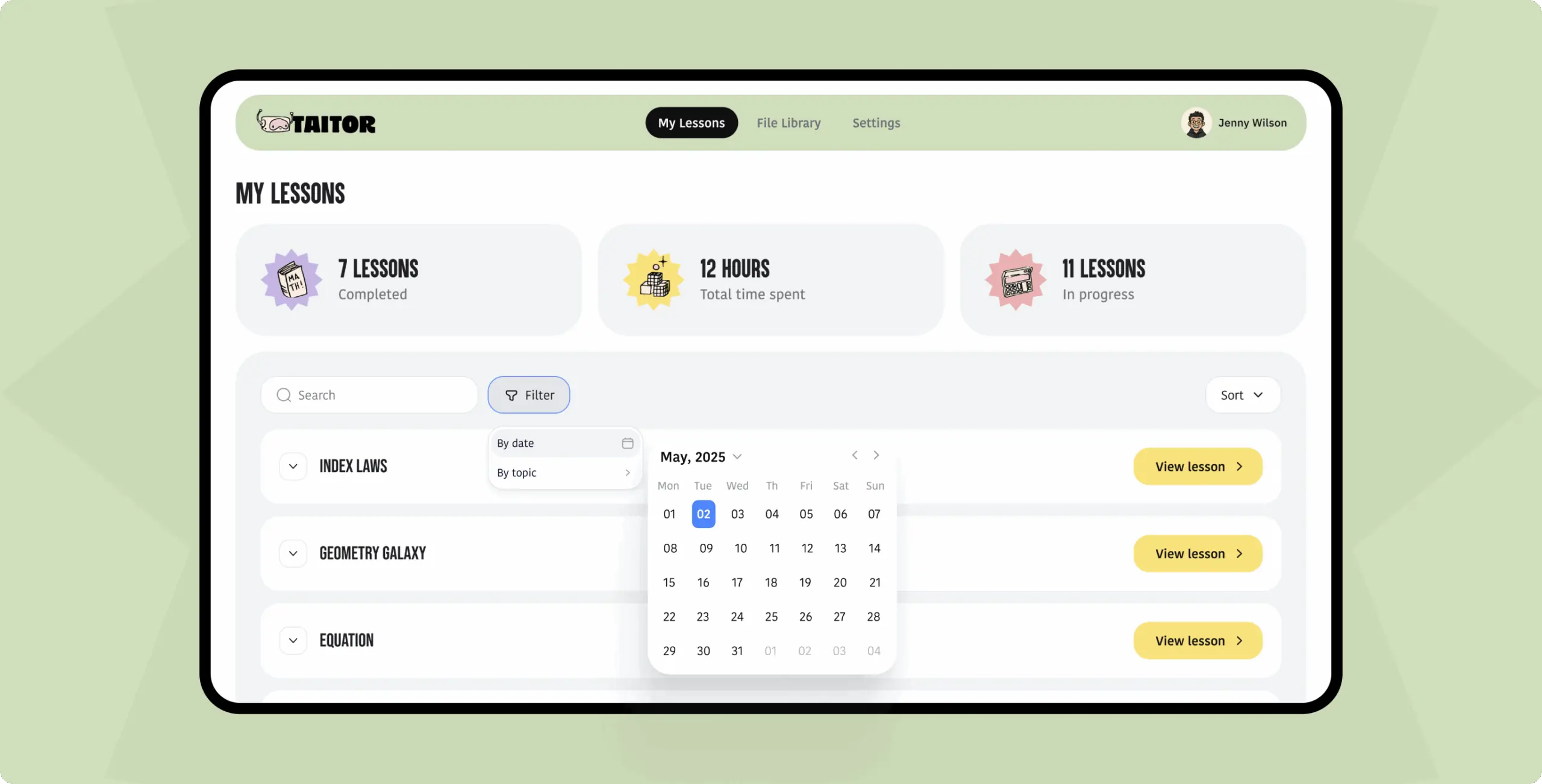
The dashboard was designed to keep the learning experience simple and distraction-free. It provides quick access to lessons, progress tracking, and AI chat, allowing students to focus on learning while maintaining a clean, organized workspace.

Taitor – interactive AI tutoring for kids and teens - Website Development - Photo 22
Interactive workspace with AI tutor chat

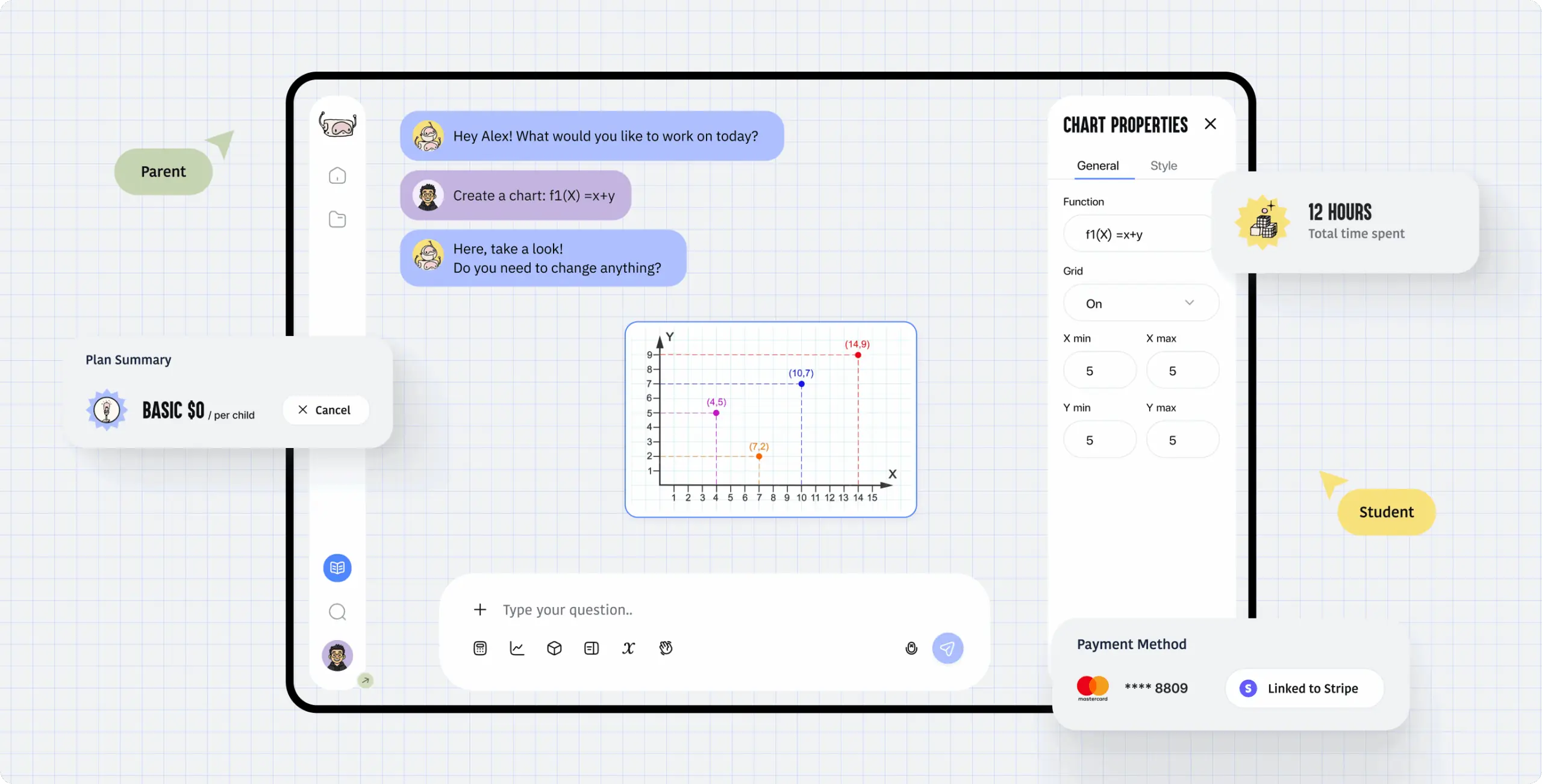
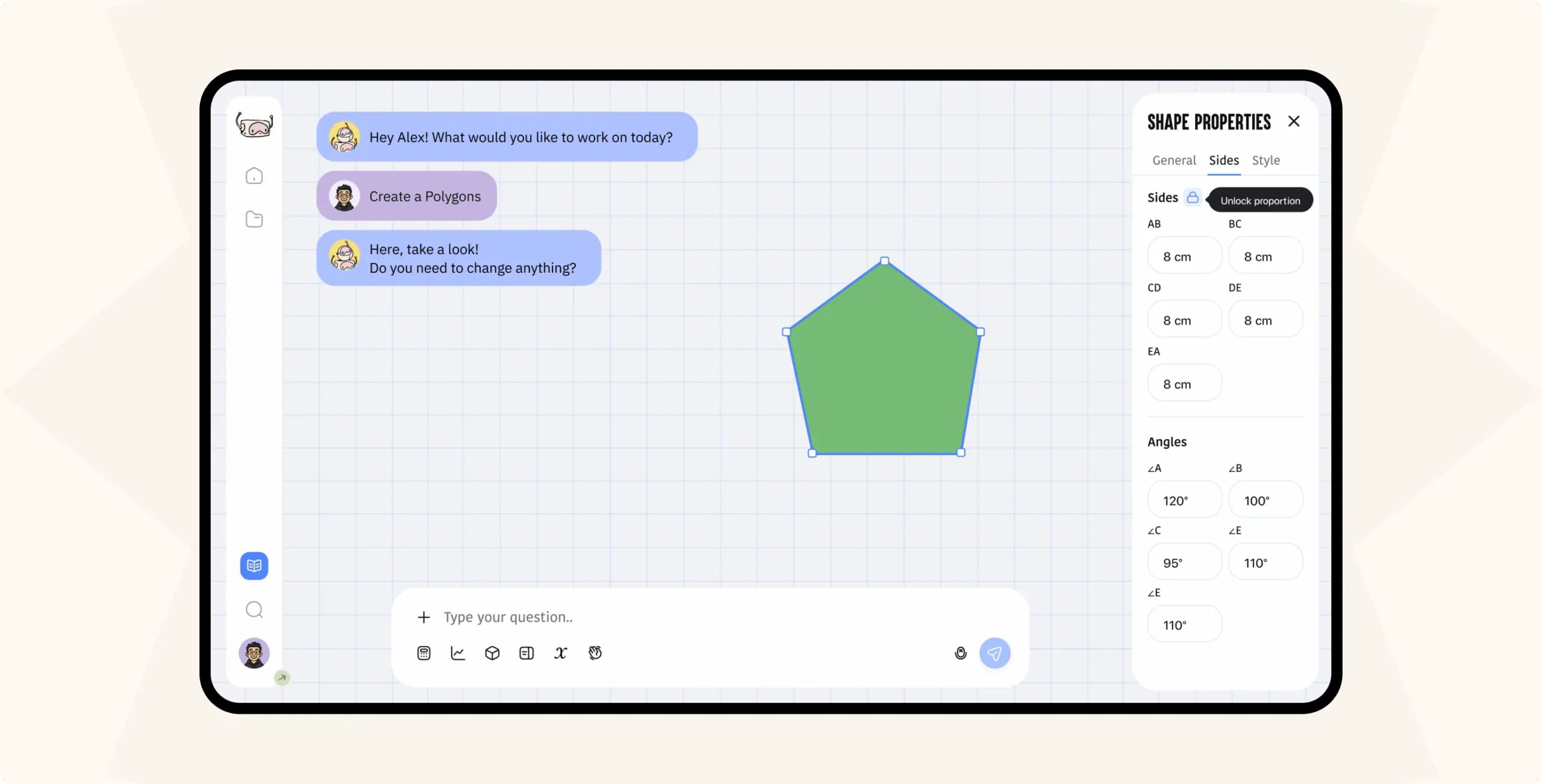
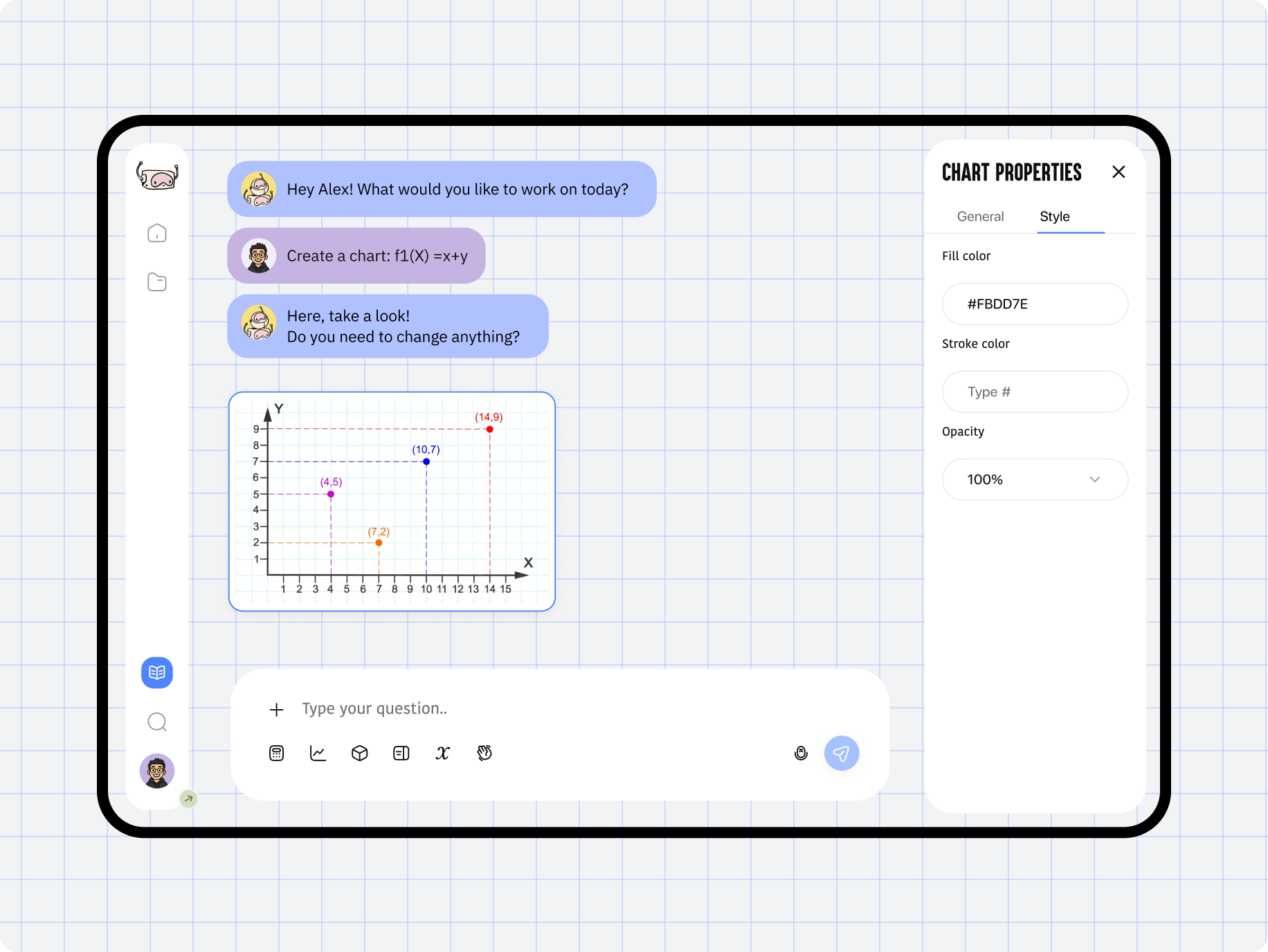
A dynamic workspace combines a powerful whiteboard and AI chat. Students can write, draw, or solve problems using built-in tools while receiving real-time guidance and explanations from the AI tutor.

Taitor – interactive AI tutoring for kids and teens - Website Development - Photo 23
AI-powered smart tools

The platform features a versatile workspace packed with drawing, writing, and annotation tools. Students can interact with the AI tutor directly in chat while solving problems, getting instant explanations, and visualizing each step in real time.

Icon - process-1
Wondering about the price? We’ll help you find the best solution!
Results
Turning vision into a functional 
AI learning platform
Faster time-to-market

Delivered an AI-powered math tutoring MVP with a full interactive workspace in a short development cycle, enabling the client to launch early and start onboarding students ahead of schedule.

Established credible product presence

Established clear product positioning in the EdTech niche, giving the client a strong strategic foundation for scaling and building future partnerships.

Built with scalability in mind

Implemented a modular, scalable UI system with reusable components, reducing future design and development costs and enabling rapid expansion as new features are added.

The project resulted in a fully designed MVP that combined functionality, clarity, and scalability. We built a clean, structured interface where the AI tutor, chat, and whiteboard work together seamlessly, making the learning experience intuitive for students and transparent for parents.

The final design system set a strong foundation for future growth. 
It gives the client flexibility to expand features, integrate new AI capabilities, and maintain a consistent visual language as the platform evolves.

Contact us

Have a project in mind?
Let's chat

Your Name

Enter your name *

Your Email

Enter your email *

Message

Tell us about your project

You can upload maximum 5 files
Some of your file not loaded, because maximum file size - 5 mb
Your budget for this project?

By clicking this button you accept Terms of Service and
Privacy Policy

Icon - circle-check-svgrepo-com 1
Thanks for taking time to reachout!
Stay connected with us by subscribing to our LinkedIn account. By following, you’l be the first to hear about our latest updates, news, and exciting development. We look forward to sharing our journey with you!
Icon - circle-check-svgrepo-com 1
Thanks for taking time to reachout!
We’d love to hear more about your project! Feel free to schedule a call using the link provided. This will help us better understand your vision and ensure we’re aligned on all the details.
Have a project to
discuss?
Image - ksenia
Kseniia Shalia
Account Executive
Have a partnership in
mind?
Image - polina
Polina Chebanova
Co-Founder & CPO